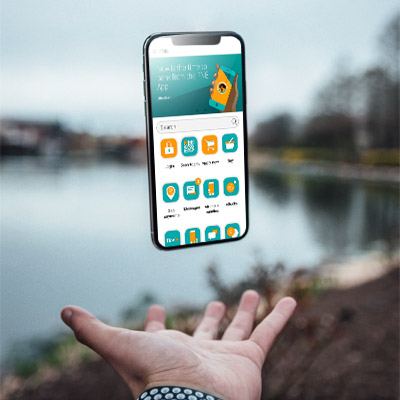
You can request to port via Online Banking or Cellphone Banking when taking up a new FNB Connect SIM. When asked for a new number or to keep your number, choose "Keep my number". If you already have a FNB Connect SIM, please dial 147 from your FNB Connect SIM and request a port.
How long does porting take?
Porting takes up to 24 hours from the time that your new FNB Connect SIM card is activated (when you can make/receive calls from your new SIM card).
My contract with my current service provider hasn't expired yet. Can I still port my number?
Yes you can, but your contract with your current service provider won't be automatically cancelled. You must arrange with your existing service provider to settle any outstanding debt, according to the terms of your contract. We advise that you first cancel your contract with your current service provider and convert your number to prepaid before porting.
Once ported, will I be able to access services that were offered by my previous service provider?
No, once you've ported, you'll lose any services from the previous network operator.
Can I use my old SIM card?
No, once your port has been completed, your old SIM card will stop working.
What happens to free minutes or any other benefits from my previous service provider after I've ported my mobile number?
Unfortunately, you'll lose all free minutes and other free services offered by your previous service provider when you port your number. This also applies to all unused minutes, airtime, data and SMSs you may have accumulated but have not yet used. You have the option of using up all your unused minutes, airtime, data and SMSs before your new FNB Connect SIM card is activated.
I have requested to port my number when applying for a FNB Connect SIM Card. What happens next?
After you receive your new FNB Connect SIM card and activate it, your number will be ported within 24 hours. For your convenience, you will be given a temporary number on your FNB Connect SIM card so you can continue to use your new SIM card while your port is in progress. Both your current SIM card (from your previous service provider) and your new FNB Connect SIM card will be usable during this time. You will receive an SMS on your old SIM card and your new FNB Connect SIM card when your port has been completed.


Using FNB Online
Using the FNB Banking App
No need to RICA your SIM. FNB will RICA the SIM on your behalf. Simply activate your SIM to get connected.

Data and voice bundles can be purchased using
FNB Online Banking
FNB Cellphone Banking
FNB Banking App
FNB ATM
Available for Flexi, Contract and Top Up packages


Please note this option is only available on Flexi, Contract and Top Up packages

You can prevent your SIM from exceeding a specified amount by setting up a SIM limit. A SIM limit means that you will receive incoming SMSs and calls, but you will not be able to make outgoing calls, use data or send SMSs. However, you can still purchase prepaid or once-off bundles to continue using this service.
Set a SIM limit by logging in to your Online Banking