Menu
Corporate

Introducing Globba™

Send money safely and easily across borders. Connecting you to your loved ones, no matter where they are. Send money from as little as R30.
Download the app
Introducing Globba™
More benefits for you
Send money to 120+ countries with ease
We make it easy to send money, no matter where you are. Make payments to 120+ countries directly into bank accounts, mobile wallets, and cash-out locations through our network of international payment providers.
Send money near real-time
We know waiting isn't always an option. With Globba™, your money arrives in near real-time—giving your beneficiary access, without the wait.
Affordable cross-border payments
Send money to your loved ones from as little as R30.
Where you can send funds
From Jozi to Harare, send to 120+ countries from as little as R30.
View PDF
Where you can send funds
Safe, affordable payments
No fees for the beneficiary icon
No fees for the beneficiary
Sender covers all fees, funds available to beneficiaries near real-time.
Convenience icon
Convenience
Conveniently access your previous payments and see status updates all in one place when you need it.
Globba™ step-by-step

Globba™ step-by-step

From setting up your account to completing your first transaction, we've made it simple for you. Just sign up, add your beneficiary's details, choose how they'll receive the money, and send — all in a few easy steps.
View FNB App PDF

What you need to know

Our Globba™ FAQs are here to help you understand how to make a cross-border payment and how to ensure that your money gets where it needs to go.
View PDF
What you need to know

How to use Globba™

Step-by-step guides for making a payment and adding a beneficiary on the FNB App.
How to make a payment
  • Log in to your FNB App.
  • Go to 'Menu' and select 'Forex'.
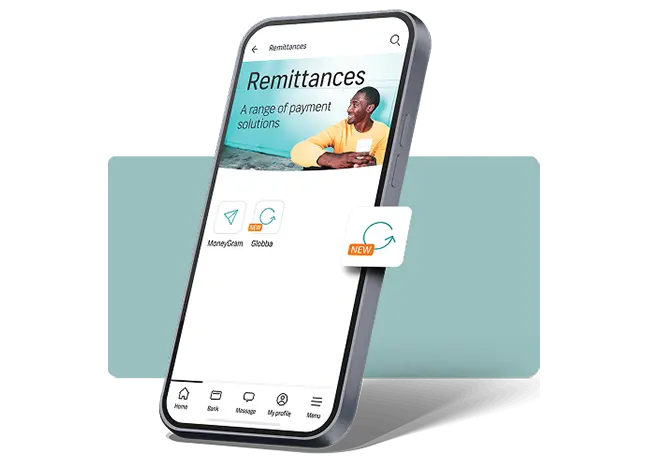
  • Select 'Remittances', then 'Globba'.
  • Select the beneficiary you want to pay.
  • Review the beneficiary details and select 'Pay'.
  • Complete any remaining transaction or payment details required and select 'Continue'.
  • Select 'Finish' to authorise and complete your Globba payment.
How to add a beneficiary
  • Log in to your FNB App.
  • Go to 'Menu' and select 'Forex'.
  • Select 'Remittances', then 'Globba'.
  • Select 'Add beneficiary'.
  • Select the destination country and a payment option.
  • Complete any outstanding details and select 'Continue'.
  • Select 'Finish' to save a beneficiary.
Send money with Globba™
Send money safely and easily across borders to 120+ countries, from as little as R30, on the FNB App.
Qualifying criteria
•FNB qualifying account
Required documents
•No documents required
Download the app
Download the FNB Banking App to start sending money safely and easily across borders with Globba™.
Get in touch
Forex Advisory Desk 086 013 6739